.webp)
What Is E-Verify?
Learn how E-Verify works, what it checks, 2026 state requirements, photo matching, and how to confirm if a company is E-verified.
What Is E-Verify?
E-Verify is a free, internet-based system operated jointly by the US Department of Homeland Security (DHS) and the Social Security Administration (SSA). It allows US employers to electronically verify that newly hired employees are authorized to work in the United States by comparing the information on a completed Form I-9 against records held in federal government databases.
The system was established under the Illegal Immigration Reform and Immigrant Responsibility Act of 1996 and has expanded significantly since. As of 2026, more than 1.1 million employers are enrolled in E-Verify, submitting over 40 million queries annually.
E-Verify follows a straightforward process. After a new hire completes their I-9, the employer enters the relevant information into the E-Verify system. Within seconds, E-Verify returns one of two results:
Employment Authorised - the information matches federal records, and the employee is confirmed as work-authorized.
Tentative Non-Confirmation (TNC) - The information did not immediately match federal records, and a further review is required. Common causes include name discrepancies, recently updated immigration status, and database lag following a legal name change. Employers must notify the employee, provide a Further Action Notice, and allow them to contest the result before taking any adverse action.
An unresolved TNC becomes a Final Non-Confirmation, at which point the employer can terminate employment without violating E-Verify program requirements.
E-Verify is not a substitute for the I-9. The I-9 establishes identity and work authorization through physical document examination, while E-Verify confirms those documents against federal records electronically. An employer who uses E-Verify but skips or incorrectly completes the I-9 is not compliant.
What Does E-Verify Check?
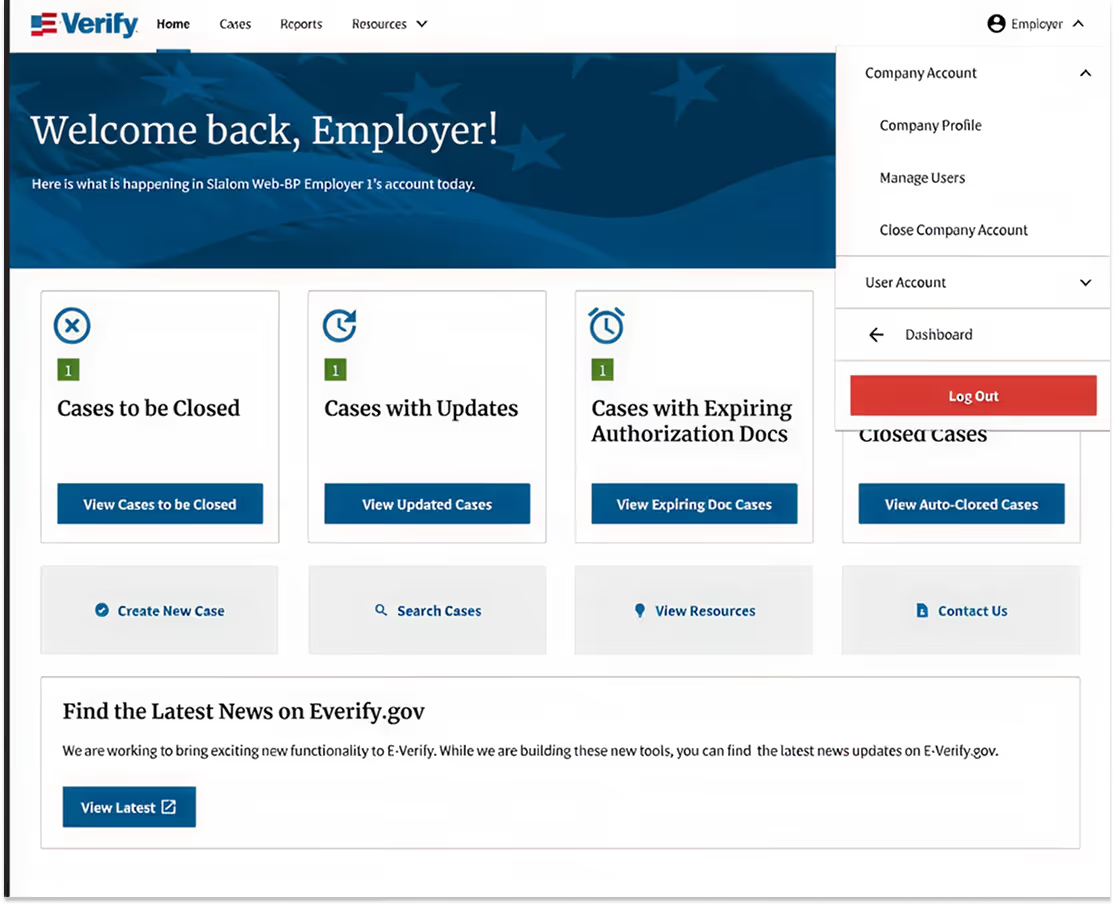
E-Verify cross-references the information provided in Section 1 and Section 2 of Form I-9 against two federal government databases.
Social Security Administration records - E-Verify checks the employee's name, date of birth, and Social Security number against SSA records to confirm identity and citizenship or immigration status.
Department of Homeland Security records - For employees who are not US citizens, E-Verify checks immigration status, visa category, and work authorization against DHS records, including USCIS and CBP databases.
Specifically, E-Verify verifies the following:
- The employee's name, date of birth, and Social Security number
- US citizenship or immigration status as attested in Section 1 of the I-9
- Work authorisation documents presented in Section 2, including Employment Authorization Documents (Form I-766), Permanent Resident Cards (Form I-551), and foreign passports with accompanying I-94 records
- Photo matching for documents that contain a photograph, comparing the photo on the document to the photo in DHS records
E-Verify does not verify the physical quality of documents. It does not confirm that documents are genuine or that they belong to the person presenting them. Document authenticity is the employer's responsibility through the physical I-9 examination process. E-Verify confirms that the information on those documents matches federal records; it does not replace the human judgment required to determine whether a document appears authentic.
For frontline employers processing high volumes of new hires, this distinction matters. E-Verify is one layer of a compliant verification process. It is not the whole process
2026 E-Verify Requirements by State

E-Verify is mandatory at the federal level for federal contractors and subcontractors covered by the Federal Acquisition Regulation. For all other employers, requirements are determined at the state level and vary significantly.
The following reflects requirements as of May 2026. State legislation changes frequently. Verify current requirements in every state where you hire directly with E-Verify's state requirements page before making compliance decisions.
States Where E-Verify Is Mandatory for All Employers
Alabama - All employers must use E-Verify for all new hires. Non-compliance can result in the loss of business licenses.
Arizona - All employers must use E-Verify for all new hires. Arizona has one of the strictest E-Verify enforcement regimes in the country.
Georgia - All employers with 11 or more employees must use E-Verify. Public employers and contractors are subject to additional requirements.
Mississippi - All employers must use E-Verify for all new hires.
North Carolina - Private employers with 25 or more employees must use E-Verify. Public employers must use it regardless of size.
South Carolina - All employers must use E-Verify. Non-compliance carries financial penalties and potential suspension of licences.
Tennessee - Employers with 50 or more employees must use E-Verify.
Utah - Employers with 15 or more employees must use E-Verify.
States Where E-Verify Is Required for Public Employers and Contractors Only
Colorado - Required for state agencies and contractors with state contracts above a defined threshold.
Florida - Required for state agencies and public contractors. Private employers are encouraged but not mandated.
Idaho - Required for state agencies and contractors receiving state funds.
Indiana - Required for state agencies and contractors.
Louisiana - Required for state and local government agencies and contractors.
Michigan - Required for state agencies.
Minnesota - Required for state agencies and contractors.
Missouri - Required for state agencies and contractors.
Nebraska - Required for state agencies and contractors.
Oklahoma - Required for state and local government employers and contractors.
Pennsylvania - Required for state agencies and contractors.
Texas - Required for state agencies. Contractors doing business with the state may also be subject to requirements.
Virginia - Required for state agencies and contractors with state contracts above a defined threshold.
States With No Mandatory E-Verify Requirement
All remaining states, including California, New York, Illinois, and Washington, have no mandatory E-Verify requirement for private employers as of May 2026. Federal contractors in those states are still subject to the federal FAR E-Verify clause regardless of state law.
Key Considerations for Multi-State Frontline Employers
Employers operating across multiple states face a compliance map that changes by jurisdiction. A frontline staffing firm placing workers in Arizona and California simultaneously is subject to mandatory E-Verify in one state and no requirement in the other. Without automated jurisdiction routing, managing that variation manually creates the same compliance gaps it is designed to prevent.
Penalty structures also vary by state. Alabama and Arizona can revoke business licenses for non-compliance. Mississippi and South Carolina carry financial penalties. The reputational and operational cost of getting this wrong in a mandatory state is significant.
What Is E-Verify Photo Matching?
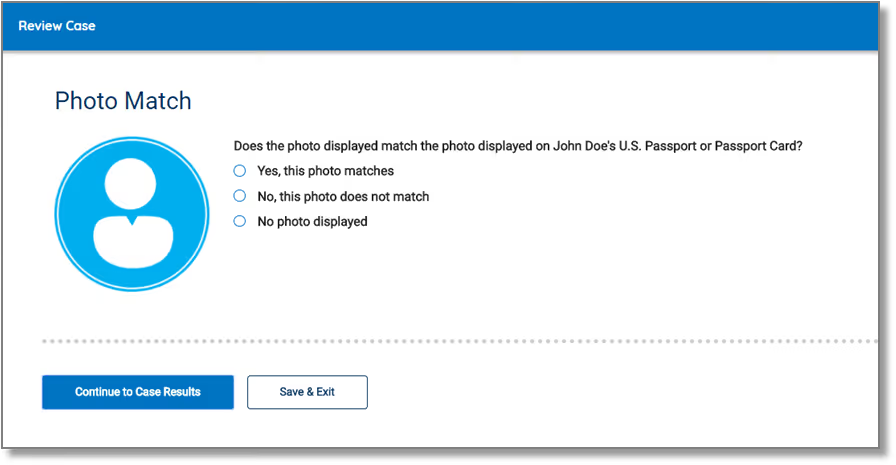
E-Verify Photo Matching is a feature within the E-Verify system that allows employers to compare the photo on certain identity documents presented during I-9 verification against the photo held in DHS records.
Photo matching applies to three document types:
- US Passport and US Passport Card - DHS holds photos from passport applications submitted since 2009.
- Permanent Resident Card (Form I-551) - DHS holds photos for most Green Cards issued since 2010.
- Employment Authorization Document (Form I-766) - DHS holds photos for most EADs issued since 2009.
When an employee presents one of these documents and the employer enters the information into E-Verify, the system automatically retrieves the DHS photo and displays it alongside the photo on the document the employee presented. The employer then confirms whether the photos match.
Photo matching does not require biometric technology or facial recognition software on the employer's side. It is a visual comparison task completed by the employer as part of the E-Verify submission process.
What photo matching does: It adds a layer of identity assurance by confirming that the document presented belongs to the person in the federal database record. A document that passes I-9 examination and E-Verify confirmation but does not match the DHS photo is a signal that the document may not belong to the person presenting it.
What photo matching does not do: It does not confirm that the person in front of the employer is the same person in the photo. That determination is made by the employer during the physical I-9 document examination or, for remote hires, during the live video verification session under the DHS alternative procedure.
For frontline employers processing large volumes of identity documents, photo matching is a meaningful additional control. Documents that pass automated E-Verify confirmation but fail photo matching are flagged for human review rather than proceeding automatically.
How to Check If a Company Is E-Verified
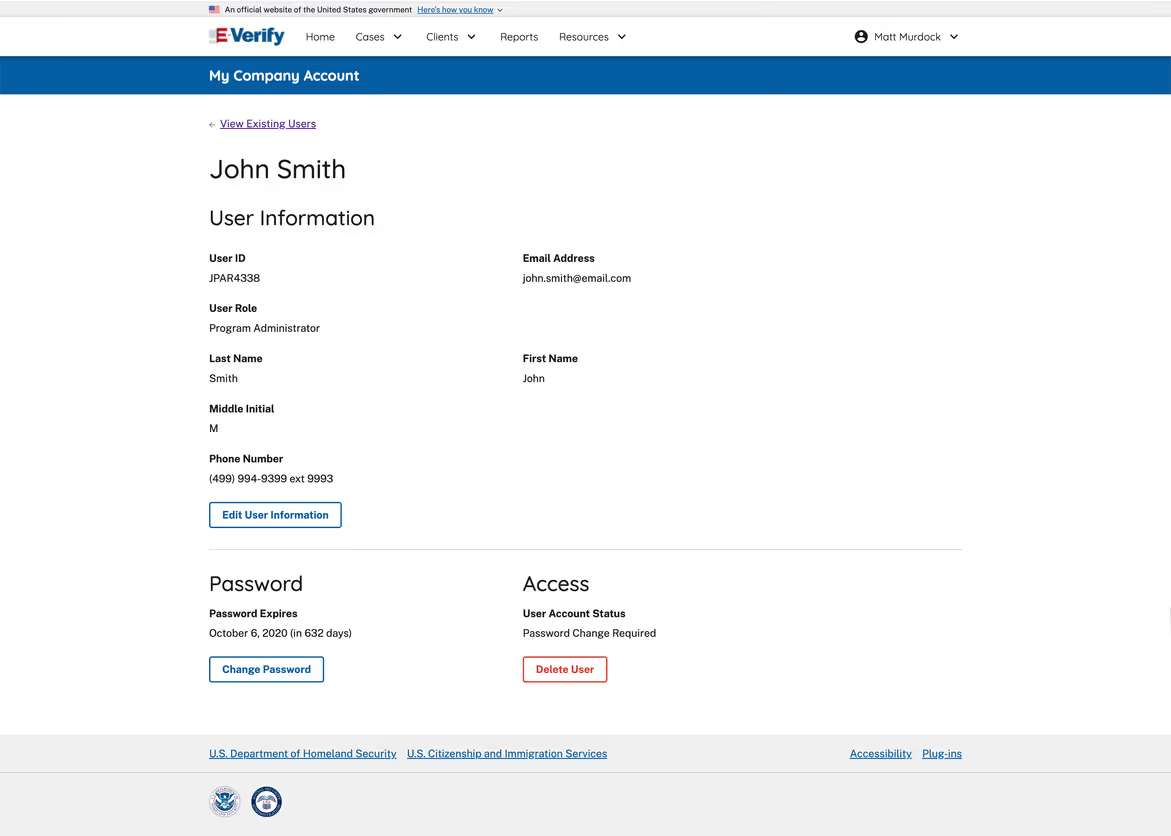
There are two ways to check whether a specific employer is enrolled in E-Verify.
1. Search the E-Verify employer database directly
The DHS maintains a public E-Verify employer search tool that allows anyone to search for enrolled employers by company name, city, state, or zip code. The database is publicly accessible and updated regularly.
2. Ask the employer directly
Enrolled employers are required to display the E-Verify participation notice in their hiring locations and in job postings for positions covered by E-Verify requirements. If an employer is enrolled, they are required to make that visible. If you are a job seeker and want to confirm an employer's E-Verify status before applying, the public search tool is the most reliable method.
For job seekers: E-Verify enrollment does not guarantee that an employer is fully compliant. It confirms they are enrolled. Whether they are submitting cases correctly, within the required timeframe, and handling TNCs appropriately is a separate question.
For employers evaluating vendors: If a hiring or onboarding platform claims to manage E-Verify on your behalf, verify that they are an E-Verify employer agent, a category of third-party provider authorized by DHS to submit E-Verify cases on behalf of employers. Not all HR platforms are authorized employer agents. Using an unauthorized third party to submit E-Verify cases does not transfer the employer's legal liability for compliance.
Remote I-9 Verification for E-Verified Employers

Since August 2023, employers enrolled in E-Verify and in good standing have been able to use an alternative procedure authorised by DHS to examine I-9 documents remotely via live video, rather than requiring in-person document examination.
This is significant for frontline employers. Before the alternative procedure, every I-9 required the employer to physically examine original documents within three business days of the worker's start date. For remote hires, distributed operations, and employers managing hundreds of new hires simultaneously across multiple locations, coordinating in-person document examination was one of the most significant administrative bottlenecks in the activation process.
The alternative procedure removes that bottleneck for eligible employers. Here is how it works.
Step 1: Employee submits documents digitally - The employee transmits copies of their I-9 documents to the employer electronically before the live video session.
Step 2: Live video examination - The employer or an authorized representative conducts a live video call with the employee. During the call, the employee presents the original documents to the camera. The employer examines the documents, confirms they appear genuine and relate to the employee, and completes Section 2 of the I-9.
Step 3: Record retention - The employer retains copies of the documents presented, along with a record of the video examination. The record must include the date of the video session, the documents examined, and a notation that the alternative procedure was used.
Eligibility requirements for the alternative procedure:
- The employer must be enrolled in E-Verify at the time of onboarding
- The employer must be in good standing with E-Verify, meaning no unresolved compliance issues
- The employer must use E-Verify for the specific hire for which the alternative procedure is used
- The employer must retain copies of all documents examined and the record of the video session
What the alternative procedure does not change:
- The three-business-day deadline for completing Section 2 still applies
- E-Verify must still be initiated within three business days of the start date
- All standard I-9 retention requirements still apply
- The employer's liability for document examination does not transfer to the employee
For frontline employers processing hundreds of new hires in the lead-up to a peak season or a major event, the alternative procedure is the capability that makes remote, high-volume I-9 compliance operationally feasible. Without it, in-person document examination is a hard constraint on activation speed. With it, verification can happen at the moment a candidate completes their onboarding flow regardless of where they are.
Frequently Asked Questions: E-Verify
Q: Is E-Verify mandatory for all US employers? No. E-Verify is mandatory for federal contractors and subcontractors covered by the Federal Acquisition Regulation and for all employers in certain states, including Alabama, Arizona, Mississippi, and South Carolina. For all other private employers, E-Verify is voluntary at the federal level. State requirements vary and change regularly. Verify current requirements in every state where you hire before making a compliance decision.
Q: Does E-Verify replace the I-9? No. E-Verify supplements the I-9 process. Employers must complete a physical or remote I-9 before initiating an E-Verify case. An E-Verify confirmation does not eliminate the requirement to complete, retain, or produce the underlying I-9 record.
Q: How long does an E-Verify case take? Most E-Verify cases return an Employment Authorized result within seconds. Cases that return a TNC require the employee to contact SSA or DHS to resolve the discrepancy, a process that can take up to eight federal working days. Final Non-Confirmations, which represent a small minority of cases, end the process with a determination that work authorization could not be confirmed.
Q: What is a Tentative Non-Confirmation and what should an employer do? A TNC means the information submitted through E-Verify did not immediately match federal records. It does not mean the employee is unauthorized to work. The employer must notify the employee in private, provide a Further Action Notice, and allow them to contest the result. The employer may not take adverse action, including delaying a start date, reducing hours, or terminating employment, during the contestation period.
Q: Can an employer use E-Verify for remote hires? Yes, provided the employer is enrolled in E-Verify and in good standing. Enrolled employers may use the DHS alternative procedure to examine I-9 documents remotely via live video rather than requiring in-person examination. The alternative procedure became available in August 2023 and applies to all new hires going forward. It does not apply retroactively to previous hires.
Q: What happens if an employer initiates an E-Verify case late? E-Verify cases must be initiated within three business days of the employee's start date. Late initiations are recorded in the E-Verify system and visible during a compliance review. Systematic late filing is a compliance finding. Employers with high hiring volumes who do not automate E-Verify submission are at consistent risk of late initiations across their hiring volume.
Q: Can E-Verify be automated? Yes. Employers processing high volumes of new hires can automate E-Verify submission through API integration or workflow automation. Automated submission ensures cases are initiated within the required window, eliminates manual portal navigation, and surfaces TNCs and Final Non-Confirmations for human review in real time. Firstwork automates E-Verify submission as part of the activation workflow, with mismatch and TNC handling built into the compliance process.
Q: What is an E-Verify employer agent? An E-Verify employer agent is a third-party organization authorized by DHS to submit E-Verify cases on behalf of employers. Employers who use an employer agent to submit E-Verify cases remain legally responsible for compliance. Using an unauthorized third party does not transfer liability. Before using any HR or onboarding platform to submit E-Verify cases, confirm the platform is a registered employer agent with DHS.
How Firstwork Automates E-Verify
Firstwork's Browser Agent automates E-Verify submission at the moment a candidate completes document verification. Cases are initiated within the required window, results are returned in real time, and TNCs are flagged immediately with full context assembled for human review. Multi-state compliance routing ensures the correct E-Verify workflow runs for every hire regardless of jurisdiction.
See Firstwork in action here.